


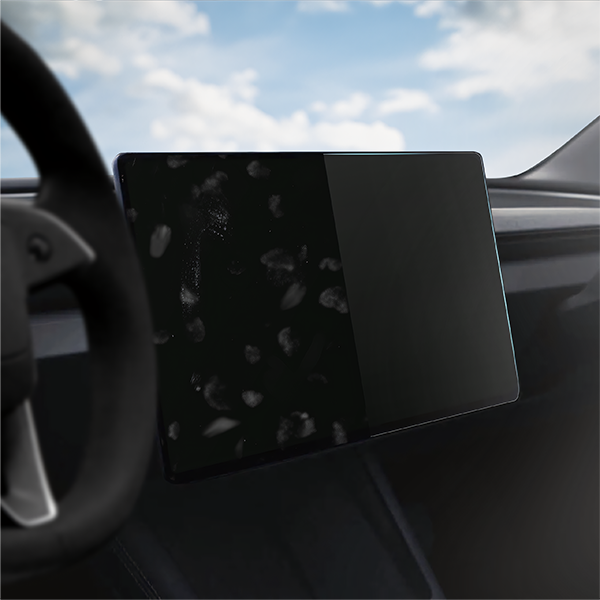

What is MatteScreen Matte Film?
The matte film is a type of protective coating that reduces glare and light reflections on the screen, thereby improving the visibility and readability of the information displayed on the screen under different lighting conditions.

Easy installation with ECO frame
The frame allows you to protect your display in a simple and intuitive way. The stand frame is made of environmentally friendly cellulose material and is therefore biodegradable. The print is made with ink that contains no harmful air-polluting compounds. Production in Poland means a lower CO2 footprint due to minimal delivery distance.

Simple and quick installation
The installation of the matte film on the canvas using the positioning frame is an excellent way to ensure precise and seamless application. Follow the instructions included in the kit to ensure a professional installation.

Reliability
Thanks to its flexibility, Grizz MatteScreen does not tear or crumble and at the same time adheres perfectly to the screen. The user comfort remains unchanged - at the highest level.

Perfect fit
Thanks to laser technology, the film perfectly adapts to the screen of your device. Almost invisible.

Installation instructions
1. Clean the screen thoroughly
2. Remove the START layer
3. Place the GRIZZ Easy film with the frame on the screen and press the sticker into position.
4. Peel off the sticker by pulling it while pressing on the frame.
5. Remove the frame while pressing on the film with your fingers
6. Pull the squeegee from the lower left corner of the frame, with which you push the air out from under the film
7. Peel off the FINISH layer by pulling the film parallel to the screen.
8. Use the squeegee to push the air outwards.
9. DONE! Enjoy a screen without prints and light reflections

